Log into www.smartmls.com and click on the Realist button in the MLS Products & Resources section:

1. Once in Realist, click the My Search tab in the upper left of the screen.
2. Enter your search criteria
3. Click the Search button in the bottom left.
4. Select the addresses for your mailing.
5. Click the Labels button at the bottom of the screen.

After you click Labels, you will see the following window:
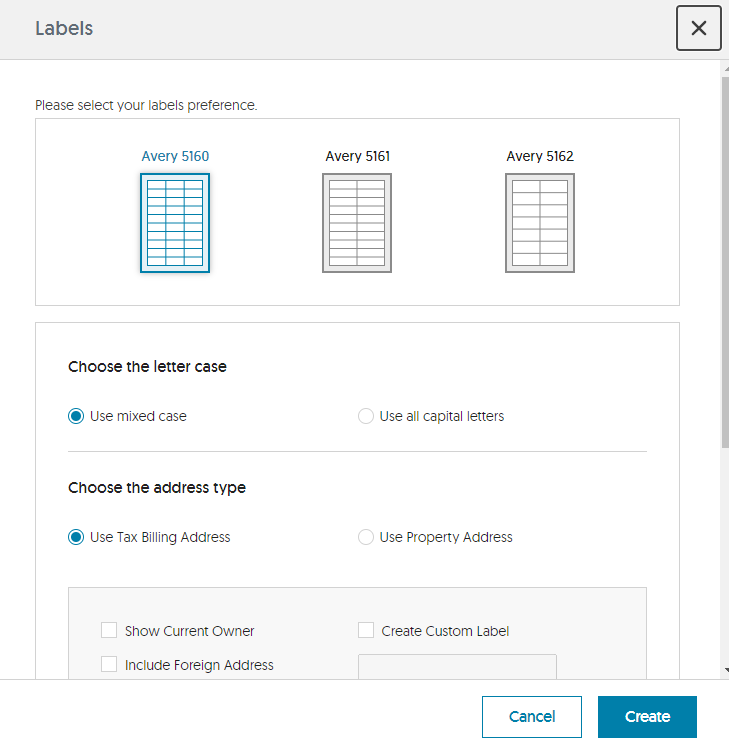
Select the type of labels you are using, go through the settings to make sure your labels are configured correctly and then click the Create button.
Comments
Please sign in to leave a comment.