If you want to view Foreclosures/REO/Short Sale Properties that surround a specific address:
After you pull up the specific address you are using as your center point (and you are on the screen where it plots the property on a map), go to the top left of the map, click the pin icon and then click Distressed Properties.
Within that menu you will see options for Bank Owned/REO, Short Sales, REO Sales, etc.:
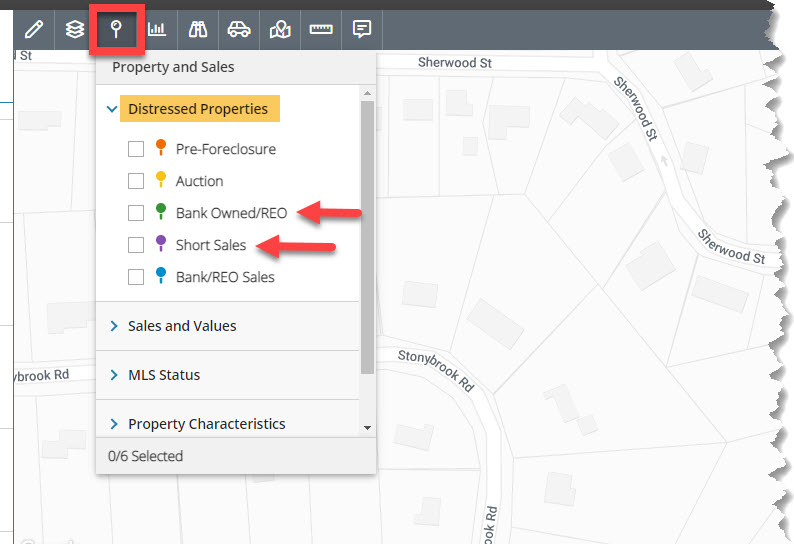
Select the ones you want and wait a few seconds for the map to refresh and plot the matching properties.
Comments
Please sign in to leave a comment.