The default search screen in Realist has a limited number of fields on it, and none of them allow you to search for absentee owners. However, you can customize the search and add more fields to it, one of which (Owner Occupied) will help you find absentee owners.
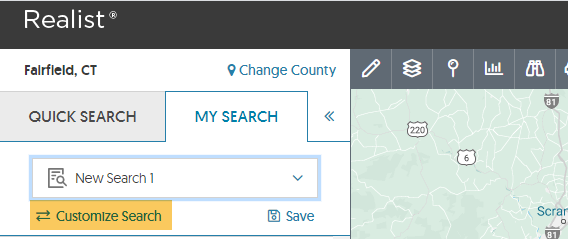
Click the Customize Search button in the top left of the search screen:
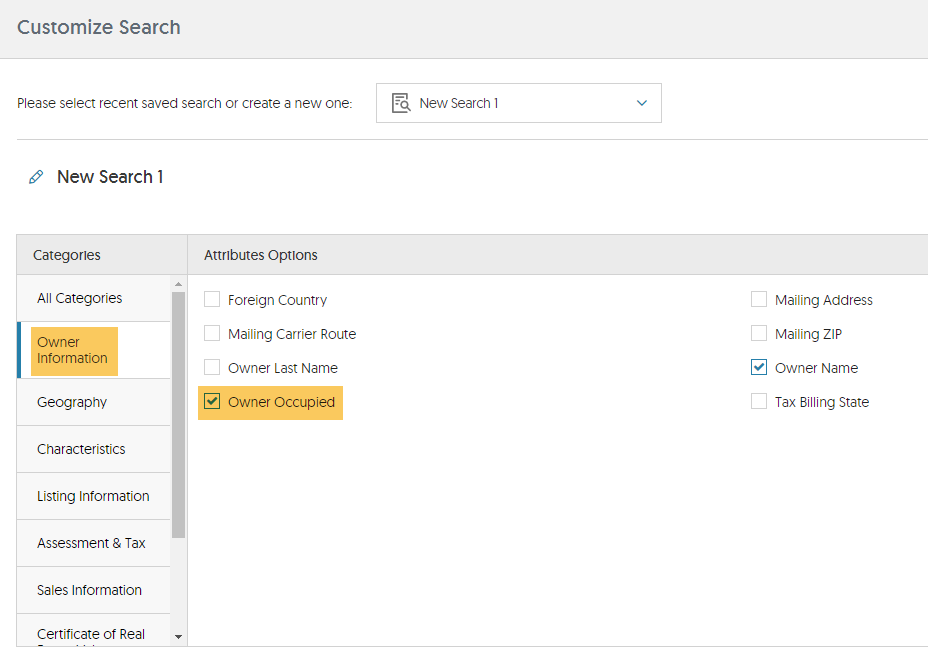
Click on Owner Information in the Categories column. This will display all of the owner information fields that are available within Realist. Fields that have checks in front are already on the search screen. Put a check in front of Owner Occupied, then click Apply in the bottom right:
This will bring you back to the search screen and the Owner Occupied field will have been added to the bottom of the search screen:
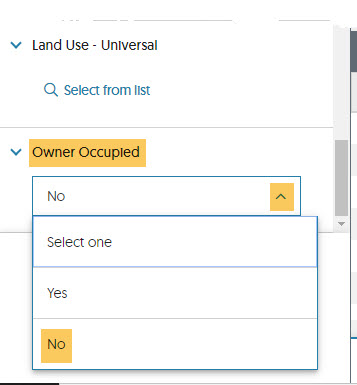
Use the drop down menu to select No. That will give give you those properties where the tax record indicates that the owner does not live at the property.
Comments
Please sign in to leave a comment.